-
LatestThe best Speaker of 2026
-
 Ultimate Ears Megaboom 4 Rugged speaker with 360° sound and deep bass.
-
 Ultimate Ears Boom 4 Portable speaker: 360° sound, durable, perfect for adventures.
-
 Ultimate Ears Wonderboom 4 Portable speaker with style, durability, and great sound.
-
 Turtlebox Ranger Rugged outdoor speaker with powerful, clear sound.
-
 House of Marley Get Together 3 Eco-friendly speaker with rich sound and stylish design.
-
 Turtlebox Original Gen 3 Rugged, portable speaker with powerful sound and durability.
-
-
LatestThe best Speaker of 2026
-
 Onkyo GX-10DB Compact speakers with premium sound and versatile connectivity.
-
 Onkyo GX-30ARC Compact speakers delivering impressive sound and sleek design.
-
 Audioengine HD6 HiFi speakers for rich sound and seamless connectivity.
-
 Mackie CR8BT Large, bass-rich desktop speakers for studios, gaming, and everyday listening.
-
 Mackie CR5BT Versatile Bluetooth monitors for music, work, and production.
-
 KEF LSX II LT Compact powered speakers with streaming and HDMI ARC
-
-
LatestThe best Speaker of 2026
-
 Yamaha NS-F 51 Smooth, affordable floorstanders for music and movie nights
-
 Q Acoustics 5040 Floorstanders deliver clear vocals, controlled bass, spacious sound.
-
 Q Acoustics 3050i Hifi Warm, room-filling floorstanders for music and movie nights.
-
 Q Acoustics M40 Room-filling stereo sound with simple all-in-one connectivity.
-
 Polk Audio T50 Warm, affordable towers for music and home theater
-
 KEF Q550 Slim towers, clear vocals, spacious imaging, controlled bass.
-
-
LatestThe best Speaker of 2026
-
 Logitech Z207 2.0 Affordable PC speakers with versatile connectivity options.
-
 Edifier G2000 Compact speakers with powerful sound, perfect for desks.
-
 Edifier R1855DB Fuller desktop sound with flexible wired and wireless connectivity.
-
 Edifier R1280T Affordable powered speakers offer warm, clear everyday sound.
-
 Audioengine A2+ Compact powered speakers deliver clear, flexible desktop sound.
-
 Logitech Z313 Compact 2.1 desktop speakers deliver fuller everyday audio.
-
-
LatestThe best Headphone of 2026
-
 Sony 1000X THE COLLEXION Zwart Sleek headphones with immersive sound and adaptive noise cancellation.
-
 Bose QuietComfort Ultra Headphones (Gen 2) Immersive sound, top-notch noise cancellation, ultimate comfort.
-
 Sony WH-1000XM6 High-performance headphones with exceptional sound and features.
-
 JBL Tour One M3 Smart TX Premium noise-cancelling headphones with a travel-ready audio transmitter
-
 Cleer Audio Enduro ANC Affordable headphones with cancellation and marathon battery life
-
 Cleer Audio Alpha Detailed sound, strong noise cancellation, and all-day battery life.
-
-
LatestThe best Headphone of 2026
-
 Jabra Evolve 20SE UC Stereo Lightweight wired headset for clear everyday office calls
-
 Jabra Evolve 40 UC Wired headset delivers clear calls and convenient controls
-
 Philips TAH4205 Compact wireless headphones with punchy bass and quick charging
-
 Jabra Evolve2 65 Flex MS Foldable Teams headset for clear, portable hybrid-work calls.
-
 JBL JR310BT Kid-friendly wireless audio with an 85 dB limit
-
 Sony WH-CH520 Lightweight headphones, long battery life, effortless pairing.
-
-
LatestThe best Headphone of 2026
-
 Cleer Audio ARC 3 Open-ear comfort, rich features, everyday awareness.
-
 Samsung Buds FE Affordable everyday earbuds with ANC and a secure fit
-
 Sennheiser Momentum Sport Workout earbuds with heart-rate tracking and punchy sound
-
 Sony LinkBuds Fit Comfortable, secure earbuds for commutes and workouts.
-
 JBL Live Buds 3 Feature-rich earbuds with touchscreen case and customizable sound.
-
 Bowers & Wilkins Pi8 Premium earbuds offer detailed sound and travel-ready versatility
-
-
LatestThe best Headphone of 2026
-
 HyperX Cloud Alpha Wireless Wireless headphones: immersive sound, long-lasting battery life.
-
 Razer Kraken V4 Immersive gaming headset with comfort and sound quality.
-
 Turtle Beach Stealth 700 GEN3 Flexible gaming audio, Bluetooth, and exceptional battery endurance.
-
 Logitech G535 Lightspeed Wireless Lightweight comfort and reliable PC, PlayStation gaming audio
-
 Corsair Void RGB Elite Wireless Comfortable PC gaming headset with punchy audio
-
 Corsair HS80 RGB Wireless Comfortable gaming headset with clear audio and microphone
-
-
LatestThe best Home audio system of 2026
-
 Sony Bravia Theatre Bar 8 Premium Dolby Atmos sound with a tidy, expandable single-bar design.
-
 TCL S45H 2.0 Compact budget soundbar boosts dialogue with virtual surround.
-
 TCL S55H 2.1 Compact soundbar delivers clearer dialogue, cinematic sound, and wireless bass.
-
 TCL Q85H Immersive Dolby Atmos cinema sound, without receiver hassle.
-
 Harman Kardon Enchant 1100 Premium soundbar brings immersive cinema and clear dialogue
-
 Harman Kardon Enchant 900 Compact Atmos soundbar with clear dialogue and spacious sound.
-
-
LatestThe best Home audio system of 2026
-
 Google TV Streamer 4K Polished streaming and smart-home hub for everyday viewing
-
 Apple TV 4K (Wi-Fi) Premium streaming with polished menus and seamless integration.
-
 Nvidia Shield TV Pro Versatile 4K streamer for local media and gaming
-
-
LatestThe best Home audio system of 2026
-
 Pioneer VSX-LX305 Immersive nine-channel home theater with Dirac Live correction.
-
 Denon AVC-X3800H Expandable home theater power with Atmos and gaming connectivity.
-
 Pioneer VSX-LX505 Flexible Atmos receiver with Dirac Live, gaming support
-
 JBL MA510 Straightforward 5.2-channel home theater with modern gaming connectivity.
-
 JBL MA310 Straightforward 5.2-channel surround sound for 4K home theaters
-
 Denon AVR-S970H Flexible 7.2-channel receiver for immersive, modern home theaters
-
-
LatestThe best Home audio system of 2026
-
 Denon PMA-1700NE Versatile stereo amp for vinyl and digital music
-
 Pioneer A-40AE Balanced stereo sound, versatile analog and digital connections.
-
 Audiolab 6000A Versatile stereo amplification with clear sound and connectivity
-
 Denon PMA-900HNE Streaming stereo amplifier for vinyl, TV, and playlists
-
 LEAK Stereo 130 Versatile, stylish amplifier for vinyl, digital audio, and Bluetooth.
-
 Yamaha A-S701 Powerful, versatile stereo amplification for traditional home hi-fi.
-
-
LatestThe best Home audio system of 2026
-
 Mackie CR8S Compact studio subwoofer adds controlled low-end depth to nearfield monitors.
-
 Audioengine S8 Compact powered subwoofer adds balanced bass to small stereo setups.
-
 KEF Kube 12 MIE Active Subwoofer Controlled, room-filling bass for music and cinematic impact.
-
 Klipsch R-12SW Powerful, room-filling bass for movies and music.
-
 Klipsch R-121SW Powerful, room-filling bass for movies and music.
-
 Bose Bass Module 500 Compact subwoofer adds fuller sound to compatible soundbars.
-
Beats Studio Buds review
Beats Studio Buds review: See how their noise cancellation, punchy sound, 24-hour battery and iPhone and Android support compare with newer earbuds.
check best price


 2024-08-07
- By Floris Dampstra
Summary / TL;DR

The Beats Studio Buds are compact, lightweight wireless earbuds that work with both iOS and Android. Their bass-forward sound suits pop and dance music, while active noise cancellation reduces steady background noise and Transparency mode lets outside sound through. Battery life is rated at up to eight hours with these modes off, or five hours with either enabled; the case raises total playback to 24 hours.
Physical buttons and an IPX4 rating add everyday practicality, though fit depends on finding the right ear tips. The case charges by USB-C but lacks wireless charging. The buds also miss multipoint connectivity and some Apple-specific conveniences, and their noise cancellation is less effective than pricier models. They’re a flexible option for daily listening, particularly for people who use both Apple and Android devices.
If you like this review, you might also like our review on the Beats Fit Pro or Beats Studio Pro or Beats by Dr. Dre Studio3.
Where to buy
 Best offers of the Beats Studio Buds at Amazon.com
Want to help us grow? When you purchase items through the above links we receive a small commission.
Introduction
The Beats Studio Buds are true wireless earbuds with active noise cancellation, a pocket-friendly case and support for both Apple and Android phones. That cross-platform approach gives them a broader appeal than earbuds designed mainly around one phone brand: you can use them with an Android handset at work and an iPad at home without changing your whole setup.
First released in 2021, they sit in the middle ground between basic everyday earbuds and pricier models packed with extra phone-specific features. They’re worth considering if you want wireless earbuds with noise cancellation for commuting, calls and daily listening, but don’t need every convenience offered by newer premium pairs. This review looks at how well they hold up as an all-purpose set—and where their age starts to show.
Related reviews


Design and Comfort
The Beats Studio Buds have a compact, stem-free shape that sits neatly in the ear rather than hanging down like AirPods. Each earbud weighs about 5 grams, so it feels light during a commute or a long video call. The smooth, rounded housing also avoids the bulky look some larger wireless earbuds have.
Three sizes of silicone ear tips come in the box, and choosing the right one makes a real difference: the small tip may feel less intrusive, while a snug medium or large tip is less likely to shift when you turn your head. There are no stabilising wings, though, so the fit depends on the ear tips and your ear shape. For a jog or a brisk walk, check that each bud feels secure before setting off.
A physical “b” button on each earbud handles presses, which is handy if you dislike accidental touch controls. The button takes a deliberate push, but pressing it can nudge the earbud inward. An IPX4 rating means the buds can handle sweat and light splashes, not a rinse under the tap. Overall, they’re a light, low-profile choice for everyday wear, with fit comfort varying more than the clean design might suggest.
What's in the Box
The Beats Studio Buds box keeps things simple: you get the earbuds, their charging case, three sizes of silicone ear tips, a USB-C-to-USB-C charging cable, and the paperwork. Medium tips come fitted on the earbuds, with small and large pairs included so you can try a different fit straight away.
- Beats Studio Buds earbuds and charging case
- Small, medium, and large silicone ear tips
- USB-C-to-USB-C charging cable
- Quick-start guide and warranty information
There’s no wall power adapter in the box, so you’ll need a USB-C power source or a computer to charge the case. That’s worth checking before your first trip; many older USB wall plugs have a USB-A port and won’t connect to the supplied cable without an adapter. The spare ear tips are also handy to keep: a secure seal can make a real difference to how well earbuds stay put.
Sound Quality
The Beats Studio Buds have a lively, bass-forward sound that suits pop, hip-hop and dance music. Kick drums land with satisfying weight, and bass lines stay easy to follow rather than turning every track into a blur. On acoustic songs, vocals come through clearly, though they can sit a little behind the beat when the low end is especially busy.
The treble adds enough sparkle to keep cymbals and strings from sounding dull, but it doesn’t reveal fine detail as sharply as some pricier wireless earbuds. A dense rock mix can feel slightly crowded, too; guitars and backing vocals don’t have much room around them. For everyday listening, though, the overall tuning is enjoyable and forgiving of lower-quality streams or older recordings.
There’s no built-in equalizer for adjusting the sound to your taste, so listeners who prefer a flatter profile or stronger treble have fewer ways to fine-tune it. Still, these Beats earbuds deliver a punchy, clear presentation that works well at moderate volume without needing a lot of adjustment.
Noise Cancellation and Transparency Mode
The active noise cancellation on the Beats Studio Buds takes the edge off steady background sounds, like a bus engine or the low rumble of an air conditioner. It’s useful for settling into a podcast on a commute, though it won’t erase nearby conversation or the sharp clatter of dishes. Voices and other changing sounds still come through, so keep the volume sensible rather than trying to drown them out.
A good ear-tip seal makes a real difference. If one bud sits loosely, outside noise slips in around it and the noise cancelling earbuds can seem less effective. ANC here is best thought of as a handy reduction in everyday drone, not the near-silence you get from some pricier models.
Transparency mode for hearing what’s around you
Switch to Transparency mode and outside sound comes through the earbuds, which is handy for a quick exchange with a shop cashier or listening for an announcement without taking them out. It also helps when walking somewhere you need to stay aware of traffic. Voices are easier to hear than they are with ANC on, though the sound can feel a little processed compared with simply removing the earbuds.
There’s no adjustable level for either mode, so you can’t fine-tune how much noise is reduced or let through. Still, having both noise cancellation and transparency mode in a compact pair of earbuds makes switching between a quieter commute and a quick conversation straightforward.
Battery Life and Charging
Battery life is a strong point: the earbuds run for up to 8 hours on a charge with noise cancellation and Transparency mode off. With either mode enabled, expect up to 5 hours. The charging case brings total listening time to up to 24 hours, which is handy for a commute-heavy week or a long day away from an outlet.
| Listening setup | Rated battery life |
|---|---|
| Earbuds, ANC and Transparency off | Up to 8 hours |
| Earbuds, ANC or Transparency on | Up to 5 hours |
| Earbuds plus charging case | Up to 24 hours total |
In everyday use, that means you can get through several shorter listening sessions—say, a podcast on the train and music during a workout—before needing to put the buds back in the case. Actual battery life varies with volume and features, so frequent noise cancellation use will bring you closer to the five-hour figure than the eight-hour one.
USB-C charging, but no wireless option
The case charges through USB-C, and a quick five-minute charge can provide up to an hour of playback. That’s a useful rescue when you notice the battery is low just before heading out. One limitation: the case doesn’t support wireless charging, so you’ll need a cable rather than a charging pad. A USB-C cable is included, but there’s no power adapter in the box.
Connectivity and Controls
The Beats Studio Buds pair over Bluetooth with both Apple and Android phones, and setup is refreshingly simple: open the case near a compatible device and follow the pairing prompt. They don’t rely on Apple’s H1 or W1 chip, so you don’t get the same iCloud-based automatic switching between an iPhone, iPad and Mac that some Apple earbuds offer. They also lack Bluetooth multipoint, meaning you’ll need to disconnect from one device before connecting to another.
Each earbud has a physical button, which is easier to use accurately than a touch-sensitive surface when you’re walking or wearing gloves. A press handles playback and calls; double- and triple-presses skip forward or back. Pressing and holding switches between noise control modes, and you can adjust the long-press options in your phone’s settings or the Beats app on Android. For example, you can set one earbud to control volume, though that means giving up its noise-control shortcut.
Apple users get hands-free Siri support, while Android users can manage settings through the Beats app and use their phone’s voice assistant. The controls are straightforward once memorized, but there’s no spoken cue for every command, so the first few days may involve a bit of trial and error.
Competitor comparison
The Beats Studio Buds sit between basic wireless earbuds and pricier models with deeper ecosystem features. Their main advantage over many rivals is broad compatibility: they work with both iPhones and Android phones without making either side feel like an afterthought. That makes them a practical pick for a household where one person uses an iPhone and another uses a Samsung phone.
| Model | Where it has the edge | What that means for you |
|---|---|---|
| Beats Studio Buds | Easy to use across iOS and Android | A sensible middle ground if you switch phone brands or don’t want to pay flagship prices. |
| Apple AirPods Pro 2 | More advanced Apple features, including automatic device switching and wireless charging | Worth the extra cost for frequent Apple-device users who want tighter integration. |
| Samsung Galaxy Buds FE | Strong value for Samsung phone owners | A good alternative if most of your devices are Galaxy products; some features work best within Samsung’s ecosystem. |
| Sony WF-C700N | Multipoint connection, so they can stay connected to two devices | Handy if you often move between a laptop and phone without manually reconnecting. |
Compared with the AirPods Pro 2, the Beats offer fewer convenience extras, but cost less and are less tied to Apple’s ecosystem. A typical example: you can pair them with an Android phone and still use the Beats app, rather than losing basic setup tools. On the other hand, if you regularly jump from an iPad to a MacBook and back, the AirPods’ automatic switching is smoother.
The Galaxy Buds FE can be a better-value noise-cancelling earbuds option for Samsung users, while Sony’s multipoint support suits people who keep a work laptop and personal phone connected at once. The Beats don’t match every rival feature for feature, but their mix of iPhone and Android support makes them a flexible choice—especially if you want wireless earbuds for both platforms without paying for a premium model.
Conclusion
The Beats Studio Buds make the most sense for listeners who want compact wireless earbuds that work smoothly with both iPhone and Android. They’re easy to recommend for commuting, gym sessions, and everyday listening, especially if you value having noise cancellation without paying for a premium flagship model.
The trade-offs are practical rather than deal-breakers: the charging case lacks wireless charging, and battery life drops with noise cancellation switched on. Still, the combination of active noise cancellation, a useful Transparency mode, and an IPX4 sweat-resistant rating gives these earbuds plenty of everyday range. They’re a solid choice for people who want reliable Beats earbuds without needing every high-end extra.
Pros & cons
Pros
- Works well with iPhone and Android
- Punchy, clear bass-forward sound
- ANC and Transparency mode included
- Up to 8 hours per charge
- Light, compact, sweat-resistant design
Cons
- No wireless charging
- No Bluetooth multipoint
- ANC only reduces steady background noise
- No built-in sound equalizer
Frequently Asked Questions
To pair your Beats Studio Buds, open the Bluetooth settings on your device and select 'Beats Studio Buds' from the list of available devices. If they don't connect automatically, manually select them to pair.
The Beats Studio Buds offer up to 8 hours of playback on a single charge. With the charging case, you can get up to 24 hours of total listening time. The Beats Studio Buds + model provides up to 9 hours per charge and 36 hours with the case.
Yes, the Beats Studio Buds feature Active Noise Cancellation (ANC) that reduces unwanted background noise. They also offer Transparency mode to let in ambient sounds.
The Beats Studio Buds have a single multi-function button on each earbud. You can play/pause with a single press, fast forward with a double press, and go back with a triple press. Press and hold to cycle through noise control options.
Yes, the Beats Studio Buds are sweat and water-resistant, making them suitable for workouts and outdoor activities.
Yes, you can use Siri with your Beats Studio Buds by pressing and holding the button on either earbud and saying 'Hey Siri' for hands-free voice commands.
To charge your Beats Studio Buds, place them in the charging case and use the included USB-C to USB-C charging cable. Fast charging provides up to 1 hour of playback with a 5-minute charge.
Yes, the Beats Studio Buds typically come with a 1-year limited warranty. Check with the retailer for specific warranty details.
Yes, the Beats Studio Buds come with multiple ear tip options to ensure a comfortable and secure fit for different ear sizes.
Yes, the Beats Studio Buds are compatible with both Apple and Android devices, offering seamless connectivity and native features like one-touch pairing with Apple devices.
Important
Before buying any product, check all details of this product on the website or in the store where you purchase it. Aspects and specifications mentioned in the text above might differ.

Written by Floris Dampstra
Floris Dampstra is a renowned expert in evaluating the latest technology products, with a particular focus on headphones, media players, and PC speakers. Hailing from Amstelveen, The Netherlands, his passion for music and technology has driven a successful career where he combines his love for audio equipment with his writing skills. Floris's reviews are known for their thoroughness, unbiased nature, and engaging style, making him a trusted voice in the tech community.
Beyond his writing, Floris is an avid music enthusiast and amateur musician, which gives him a unique perspective when reviewing audio equipment. His musical background allows him to assess products based on both technical specifications and sound quality. When not exploring the latest tech, Floris enjoys hiking and exploring national parks across Europe, often drawing inspiration for his writing from these adventures. His honest and insightful reviews help consumers make informed decisions and encourage manufacturers to innovate, making his work a valuable resource for anyone interested in audio technology.
Read more about FlorisWhere to buy
More Beats reviews
-
 Apple Studio Display review
Premium 5K Mac monitor, crisp and feature-packed
Videos
-
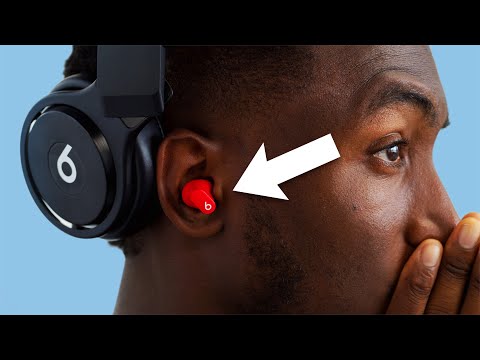 Forgot About Beats by Dre?Marques Brownlee
-
 Beats Studio Buds Plus (Why I'm Returning Them)Aesthetic AL
-
 Beats Studio Buds User Guide!Tech IRL
-
 Beats Studio Buds Review (After 3 Months)Noah Banks
-

-


