-
LatestThe best Speaker of 2026
-
 Ultimate Ears Megaboom 4 Rugged 360-degree Bluetooth sound for outdoor gatherings
-
 Ultimate Ears Boom 4 Rugged 360-degree portable sound for gatherings anywhere.
-
 Ultimate Ears Wonderboom 4 Rugged, compact Bluetooth sound for everyday outdoor adventures.
-
 Turtlebox Ranger Rugged, loud portable speaker built for outdoor adventures.
-
 House of Marley Get Together 3 Portable speaker with warm sound and sustainable materials
-
 Turtlebox Original Gen 3 Rugged, powerful outdoor sound built for all-day adventures.
-
-
LatestThe best Speaker of 2026
-
 Onkyo GX-10DB Compact powered desktop speakers with versatile everyday connectivity
-
 Onkyo GX-30ARC Versatile powered stereo speakers for desks and TVs
-
 Audioengine HD6 Rich, flexible stereo sound without a separate amplifier.
-
 Mackie CR8BT Large, bass-rich desktop speakers for studios, gaming, and everyday listening.
-
 Mackie CR5BT Versatile Bluetooth monitors for music, work, and production.
-
 KEF LSX II LT Compact powered speakers with streaming and HDMI ARC
-
-
LatestThe best Speaker of 2026
-
 Yamaha NS-F 51 Smooth, affordable floorstanders for music and movie nights
-
 Q Acoustics 5040 Floorstanders deliver clear vocals, controlled bass, spacious sound.
-
 Q Acoustics 3050i Hifi Warm, room-filling floorstanders for music and movie nights.
-
 Q Acoustics M40 Room-filling stereo sound with simple all-in-one connectivity.
-
 Polk Audio T50 Warm, affordable towers for music and home theater
-
 KEF Q550 Slim towers, clear vocals, spacious imaging, controlled bass.
-
-
LatestThe best Speaker of 2026
-
 Logitech Z207 2.0 Compact Bluetooth desktop speakers for clear everyday audio
-
 Edifier G2000 Compact gaming speakers with connectivity and RGB lighting
-
 Edifier R1855DB Fuller desktop sound with flexible wired and wireless connectivity.
-
 Edifier R1280T Affordable powered speakers offer warm, clear everyday sound.
-
 Audioengine A2+ Compact powered speakers deliver clear, flexible desktop sound.
-
 Logitech Z313 Compact 2.1 desktop speakers deliver fuller everyday audio.
-
-
LatestThe best Headphone of 2026
-
 Sony 1000X THE COLLEXION Zwart Foldable noise-cancelling headphones with rich sound and comfort
-
 Bose QuietComfort Ultra Headphones (Gen 2) Premium travel audio: immersive sound, comfort, powerful cancellation.
-
 Sony WH-1000XM6 Premium noise-cancelling headphones for travel, work, and comfort.
-
 JBL Tour One M3 Smart TX Premium noise-cancelling headphones with a travel-ready audio transmitter
-
 Cleer Audio Enduro ANC Affordable headphones with cancellation and marathon battery life
-
 Cleer Audio Alpha Detailed sound, strong noise cancellation, and all-day battery life.
-
-
LatestThe best Headphone of 2026
-
 Jabra Evolve 20SE UC Stereo Lightweight wired headset for clear everyday office calls
-
 Jabra Evolve 40 UC Wired headset delivers clear calls and convenient controls
-
 Philips TAH4205 Compact wireless headphones with punchy bass and quick charging
-
 Jabra Evolve2 65 Flex MS Foldable Teams headset for clear, portable hybrid-work calls.
-
 JBL JR310BT Kid-friendly wireless audio with an 85 dB limit
-
 Sony WH-CH520 Lightweight headphones, long battery life, effortless pairing.
-
-
LatestThe best Headphone of 2026
-
 Cleer Audio ARC 3 Open-ear comfort, rich features, everyday awareness.
-
 Samsung Buds FE Affordable everyday earbuds with ANC and a secure fit
-
 Sennheiser Momentum Sport Workout earbuds with heart-rate tracking and punchy sound
-
 Sony LinkBuds Fit Comfortable, secure earbuds for commutes and workouts.
-
 JBL Live Buds 3 Feature-rich earbuds with touchscreen case and customizable sound.
-
 Bowers & Wilkins Pi8 Premium earbuds offer detailed sound and travel-ready versatility
-
-
LatestThe best Headphone of 2026
-
 HyperX Cloud Alpha Wireless A long-lasting gaming headset built for marathon sessions.
-
 Razer Kraken V4 Feature-rich wireless gaming headset for multi-device play
-
 Turtle Beach Stealth 700 GEN3 Flexible gaming audio, Bluetooth, and exceptional battery endurance.
-
 Logitech G535 Lightspeed Wireless Lightweight comfort and reliable PC, PlayStation gaming audio
-
 Corsair Void RGB Elite Wireless Comfortable PC gaming headset with punchy audio
-
 Corsair HS80 RGB Wireless Comfortable gaming headset with clear audio and microphone
-
-
LatestThe best Home audio system of 2026
-
 Sony Bravia Theatre Bar 8 Premium Dolby Atmos sound with a tidy, expandable single-bar design.
-
 TCL S45H 2.0 Compact budget soundbar boosts dialogue with virtual surround.
-
 TCL S55H 2.1 Compact soundbar delivers clearer dialogue, cinematic sound, and wireless bass.
-
 TCL Q85H Immersive Dolby Atmos cinema sound, without receiver hassle.
-
 Harman Kardon Enchant 1100 Premium soundbar brings immersive cinema and clear dialogue
-
 Harman Kardon Enchant 900 Compact Atmos soundbar with clear dialogue and spacious sound.
-
-
LatestThe best Home audio system of 2026
-
 Google TV Streamer 4K Polished streaming and smart-home hub for everyday viewing
-
 Apple TV 4K (Wi-Fi) Premium streaming with polished menus and seamless integration.
-
 Nvidia Shield TV Pro Versatile 4K streamer for local media and gaming
-
-
LatestThe best Home audio system of 2026
-
 Pioneer VSX-LX305 Immersive nine-channel home theater with Dirac Live correction.
-
 Denon AVC-X3800H Expandable home theater power with Atmos and gaming connectivity.
-
 Pioneer VSX-LX505 Flexible Atmos receiver with Dirac Live, gaming support
-
 JBL MA510 Straightforward 5.2-channel home theater with modern gaming connectivity.
-
 JBL MA310 Straightforward 5.2-channel surround sound for 4K home theaters
-
 Denon AVR-S970H Flexible 7.2-channel receiver for immersive, modern home theaters
-
-
LatestThe best Home audio system of 2026
-
 Denon PMA-1700NE Versatile stereo amp for vinyl and digital music
-
 Pioneer A-40AE Balanced stereo sound, versatile analog and digital connections.
-
 Audiolab 6000A Versatile stereo amplification with clear sound and connectivity
-
 Denon PMA-900HNE Streaming stereo amplifier for vinyl, TV, and playlists
-
 LEAK Stereo 130 Versatile, stylish amplifier for vinyl, digital audio, and Bluetooth.
-
 Yamaha A-S701 Powerful, versatile stereo amplification for traditional home hi-fi.
-
-
LatestThe best Home audio system of 2026
-
 Mackie CR8S Compact studio subwoofer adds controlled low-end depth to nearfield monitors.
-
 Audioengine S8 Compact powered subwoofer adds balanced bass to small stereo setups.
-
 KEF Kube 12 MIE Active Subwoofer Controlled, room-filling bass for music and cinematic impact.
-
 Klipsch R-12SW Powerful, room-filling bass for movies and music.
-
 Klipsch R-121SW Powerful, room-filling bass for movies and music.
-
 Bose Bass Module 500 Compact subwoofer adds fuller sound to compatible soundbars.
-
Logitech G535 Lightspeed Wireless review
Logitech G535 LIGHTSPEED review: a lightweight wireless gaming headset for PC and PS5, with 33-hour battery life and simple setup—no Bluetooth.
check best price


 2025-01-02
- By Suzanne Mads
Summary / TL;DR

The Logitech G535 LIGHTSPEED is a lightweight wireless gaming headset for PC and PlayStation 4/5. At about 236 g, it uses a flexible suspension strap and breathable fabric ear cushions, though the fit may require adjustment and can press on glasses. Its USB-A receiver provides a low-latency 2.4GHz connection, with simple earcup controls and a flip-up mute microphone. Sound is geared toward gaming, with clear effects and voices, but limited fine detail; the microphone is suitable for chat rather than recording. Logitech rates battery life at up to 33 hours, and the headset charges via USB-C. It lacks Bluetooth, a wired audio option, and Xbox compatibility, making it less versatile than some similarly priced alternatives.
Where to buy
 Best offers of the Logitech G535 Lightspeed Wireless at Amazon.com
Want to help us grow? When you purchase items through the above links we receive a small commission.
Introduction
The Logitech G535 LIGHTSPEED Wireless is a straightforward wireless gaming headset for players who want to lose the cable without paying for a pile of extras. Its 236-gram weight gives it a clear selling point for long sessions: it’s lighter than many bulky gaming headsets, a welcome difference when a match runs past midnight or you’re settling in for a weekend campaign.
It’s aimed at PC and PlayStation gamers who value practical comfort and dependable wireless play over premium materials or studio-grade sound. That focus keeps the G535 refreshingly simple, though anyone after Bluetooth, active noise cancellation, or a more luxurious finish should look elsewhere. As a lightweight wireless gaming headset, it makes a sensible case for everyday gaming without trying to be more than it is.
Related reviews


What's in the Box
The box keeps things simple: you get the Logitech G535 Lightspeed Wireless headset, a USB-A LIGHTSPEED receiver, a USB-A-to-USB-C charging cable, and the setup paperwork.
- LIGHTSPEED USB receiver: This small dongle plugs into a USB-A port on a compatible PC or PlayStation console. It’s easy to miss among the packaging, so check the insert before throwing anything away.
- USB charging cable: The cable connects to the headset’s USB-C charging port. It’s handy for topping up from a computer or a standard USB charger, though you won’t find a wall adapter in the box.
- Documentation: A brief guide covers basic setup and controls; there’s no long printed manual to work through.
There’s no separate 3.5 mm audio cable or spare receiver, so the package is focused on wireless use rather than wired backup.
Design and Comfort
At roughly 236 grams, the Logitech G535 feels light for a wireless gaming headset. That low weight is useful during long sessions: turning to check a second monitor or leaning back in your chair doesn’t make the headset feel like it’s pulling down on your head.
Instead of a padded, fixed headband, it uses a flexible suspension strap that rests across the top of your head. You can adjust the strap to change the fit, and flip it to show either the blue or black side. The design spreads pressure across the strap rather than concentrating it on one narrow spot, though the fit can take a little fiddling if you have a smaller head.
The ear cups have soft, breathable fabric-covered padding. They feel less warm than leatherette cushions during a long evening at the PC, and the over-ear shape gives your ears some space inside the cups. People who wear glasses may still feel pressure where the headset meets the arms, as with many closed-back gaming headsets, so a quick fit check before a multi-hour session is worthwhile.
- Weight: about 236 g
- Headband: adjustable suspension strap
- Ear cushions: soft, breathable fabric
The lightweight build is the main comfort win; the trade-off is a fairly simple, flexible feel rather than a more substantial padded headband. For a gaming headset you can wear through a long workday or a few matches without much neck fatigue, the G535 keeps things pleasantly uncomplicated.
Controls and Connectivity
The Logitech G535 Lightspeed Wireless keeps its controls simple: a power button and volume wheel sit on the left earcup, while the microphone mutes when you flip it up. That mic gesture is handy mid-match; you can mute without reaching for a keyboard shortcut, though you’ll need to remember to lower it again before speaking.
For wireless gaming, it uses a compact USB-A LIGHTSPEED receiver on a 2.4GHz connection. Plug it into a PC or PlayStation and the headset connects without Bluetooth pairing or a lengthy setup. The connection is also useful for consoles with a USB-A port, but the G535 has no Bluetooth and can’t connect to Xbox consoles. It doesn’t offer a 3.5mm wired fallback either, so the USB receiver is the only way to use it.
Logitech lists a wireless range of up to 12 metres (40 feet). That gives you room to step away from your desk for a drink without taking the headset off, though walls and other wireless devices can affect real-world range. The volume wheel is easy to adjust by touch, but it changes headset volume rather than giving you separate game and chat mix controls. For a straightforward wireless gaming headset for PC and PS5, the layout is convenient; players who want Bluetooth for phone calls or more audio-mixing options may find it limiting.
Sound Quality and Microphone Performance
The Logitech G535 Lightspeed Wireless has a lively, game-friendly sound rather than a strictly neutral one. Its 40 mm drivers give footsteps and reload sounds enough presence to stand out, while bass adds weight to explosions without swallowing every other effect. In a busy match, that balance makes it easier to follow a teammate’s callout while a firefight is happening nearby.
Music sounds enjoyable, though the bass can feel a little light on tracks that rely on a deep, physical thump. Voices and guitars come through clearly, but fine detail is not as crisp as it is on pricier gaming headsets. The stereo image is useful for judging left and right, too; just don’t expect every distant sound to land with pinpoint accuracy.
The built-in cardioid microphone focuses on your voice and works well for everyday party chat. Teammates should hear speech clearly, but the mic has a somewhat narrow, compressed tone compared with a dedicated USB microphone. It’s fine for calling out “two on the stairs,” though not the choice for polished streaming or voice recording. Its listed frequency response is 100 Hz–10 kHz, which suits speech but doesn’t capture the full warmth of a higher-quality mic.
Gaming Performance and Compatibility
The Logitech G535 Lightspeed Wireless works over its USB receiver on PC, PlayStation 4, and PlayStation 5. For a gaming PC, plug the receiver in and select the headset as the audio output; on PS5, connect it to a USB port and choose it under the console’s audio settings. That simple setup is handy when you want to switch from a PC game to a console without pairing menus or Bluetooth settings.
Its low-latency 2.4GHz connection suits games where timing matters. In a shooter, footsteps and reloads stay closely in step with the action, while the open, spacious presentation helps make direction changes easier to follow. It also works well for long multiplayer sessions, though there’s no Bluetooth connection for using it with a phone at the same time. Xbox players should look elsewhere: the USB receiver isn’t supported by Xbox consoles.
| Platform | Gaming connection |
|---|---|
| Windows PC | USB receiver; Logitech G HUB is available for supported settings |
| PlayStation 5 / 4 | USB receiver; wireless game audio and chat |
| Xbox consoles | Not supported |
Battery Life and Charging
The headset is rated for up to 33 hours of battery life, which is enough for several evenings of gaming before you need to think about charging. In practice, volume level and use affect that figure, so loud sessions may drain it faster. Still, you’re unlikely to need to plug it in after every long gaming night.
USB-C charging and battery life
Charging uses a USB-C cable, so you can top it up from a PC, console USB port or a standard USB charger. It’s handy to keep a cable near your desk and charge between sessions; you can also keep playing while it’s plugged in. The main drawback is that there’s no spare battery to swap in, so a flat charge means staying tethered until it has enough power again.
For a long weekend of gaming, the G535 should comfortably last through multiple sessions, though checking the battery level in Logitech G HUB before an overnight gaming marathon is a sensible habit.
Competitor comparison
Compared with other wireless gaming headsets around its price, the Logitech G535 Lightspeed Wireless keeps things simple: it prioritizes low weight and a dedicated gaming connection rather than extra features. That makes it an appealing pick for long PC or console sessions, but less versatile than headsets that also support Bluetooth.
| Headset | What sets it apart | Best fit |
|---|---|---|
| Logitech G535 | Lightweight, 2.4GHz Lightspeed wireless, no Bluetooth | Players who want a straightforward wireless gaming headset |
| Razer Barracuda X (2022) | Supports both 2.4GHz wireless and Bluetooth | Anyone who wants one headset for gaming and phone audio |
| SteelSeries Arctis Nova 7 | Combines 2.4GHz wireless with Bluetooth and costs more in many stores | Players who value simultaneous device connections and extra flexibility |
The Razer Barracuda X wireless gaming headset is the more convenient choice if you regularly switch between a console and a phone. For example, Bluetooth lets you take a call without pulling out the gaming dongle. The G535 skips that feature, but its lighter build is a real advantage for marathon sessions; that difference can matter more after a few hours than a longer spec sheet suggests.
The SteelSeries Arctis Nova 7 is a stronger all-rounder for people who want to listen to game audio and phone audio at once, though it usually costs more. The G535 makes more sense if you mainly game on one setup and don’t want to pay extra for multi-device features. For shoppers comparing lightweight wireless gaming headsets, it’s a focused, comfortable-value option; for Bluetooth, broader device use, or more connection options, the Razer or SteelSeries alternatives have the edge.
Conclusion
The Logitech G535 Lightspeed Wireless is a good fit for PC and PlayStation players who want a lightweight wireless gaming headset without paying for features they may never use. At around 236g, it’s easy to keep on through a long evening of matches, and its simple setup suits a desk where you’d rather plug in a USB receiver and start playing than fiddle with settings.
Its limits are easy to live with for the right player, but worth knowing before buying: there’s no Bluetooth, and it isn’t a strong pick for someone who wants one headset for gaming, commuting, and phone calls. Think of it as a focused gaming headset, not an all-purpose wireless pair. For a PS5 player who moves between a desk and the couch, or a PC player who needs clear team chat and dependable wireless audio, it offers a practical balance of comfort and convenience. If those uses match your routine, this is a solid choice; if you need Bluetooth or broader device support, look elsewhere.
Pros & cons
Pros
- Lightweight at just 236 g
- Breathable, comfortable ear cushions
- Low-latency wireless gaming connection
- Up to 33 hours of battery life
- Simple setup on PC and PlayStation
Cons
- No Bluetooth connectivity
- Not compatible with Xbox
- No wired audio fallback
- Microphone sounds compressed
Frequently Asked Questions
To connect your Logitech G535 Lightspeed Wireless headset to your PC, simply plug the USB dongle into a USB port on your computer, press the headset's power button, and you're good to go. The headset uses Logitech's LIGHTSPEED 2.4GHz connectivity for easy setup.
The Logitech G535 Lightspeed Wireless headset offers up to 33 hours of battery life. In some tests, it has been reported to last even longer, up to 39 hours, depending on usage conditions.
Yes, the Logitech G535 Lightspeed Wireless headset is compatible with PlayStation 4 and PlayStation 5 consoles. It connects via a USB-A port, making it easy to use with these gaming systems.
To check if your Logitech G535 Lightspeed Wireless headset is fully charged, look for the LED light on the headset. A solid green light indicates a normal battery level, while a blinking green light means it's charging. The light will turn off when fully charged.
The Logitech G535 Lightspeed Wireless headset features a non-detachable boom microphone. However, you can flip it up to mute it, which helps keep it out of the way when not in use.
The Logitech G535 Lightspeed Wireless headset uses Logitech's advanced LIGHTSPEED wireless technology. This technology provides low latency and reliable connectivity, making it ideal for gaming.
Unfortunately, the Logitech G535 Lightspeed Wireless headset is not compatible with Xbox consoles due to Microsoft's restrictions on USB wireless headsets.
The Logitech G535 Lightspeed Wireless headset offers a balanced sound profile with clear audio. It features 40 mm drivers, which deliver crisp and deep stereo sound suitable for gaming and music.
The Logitech G535 Lightspeed Wireless headset does not support Bluetooth connectivity, so it cannot be used directly with smartphones. It requires a USB connection via the LIGHTSPEED dongle.
The Logitech G535 Lightspeed Wireless headset weighs approximately 8.32 ounces (236 grams), making it lightweight and comfortable for extended use.
Important
Before buying any product, check all details of this product on the website or in the store where you purchase it. Aspects and specifications mentioned in the text above might differ.

Written by Suzanne Mads
Suzanne Mads is a renowned review writer with a decade of experience in the audio industry, specializing in mobile speakers, headphones, and hi-fi speakers. Her passion for music and technology drives her commitment to delivering honest and comprehensive evaluations, making her a trusted voice for consumers. With a degree in Audio Engineering, Suzanne combines technical expertise with a keen listener's perspective, offering reviews that are both informative and accessible. She is a regular contributor to high-profile tech magazines and speaks at audio tech conferences, bringing insights and industry forecasts to a wide audience.
Read more about SuzanneWhere to buy
More Logitech reviews
Videos
-
 BEST GAMING HEADSET UNDER $50 - Logitech G535Tagmond Tech
-
 Logitech G535 Lightspeed Wireless Gaming Headset ReviewMathias Does Tech
-

-

-
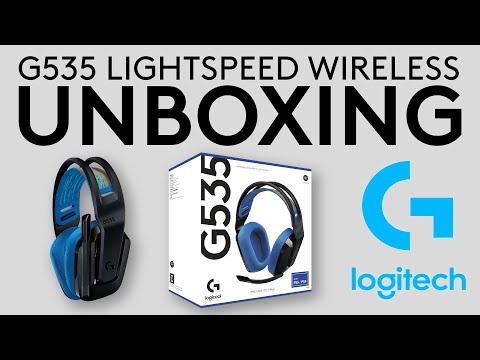 Logitech G535 LIGHTSPEED Wireless Headset UNBOXING!Logitech Support
-
 Logitech G535 LIGHTSPEED Wireless Headset UNBOXINGLogitech Support


