-
LatestThe best Speaker of 2026
-
 Ultimate Ears Megaboom 4 Rugged speaker with 360° sound and deep bass.
-
 Ultimate Ears Boom 4 Portable speaker: 360° sound, durable, perfect for adventures.
-
 Ultimate Ears Wonderboom 4 Portable speaker with style, durability, and great sound.
-
 Turtlebox Ranger Rugged outdoor speaker with powerful, clear sound.
-
 House of Marley Get Together 3 Eco-friendly speaker with rich sound and stylish design.
-
 Turtlebox Original Gen 3 Rugged, portable speaker with powerful sound and durability.
-
-
LatestThe best Speaker of 2026
-
 Onkyo GX-10DB Compact speakers with premium sound and versatile connectivity.
-
 Onkyo GX-30ARC Compact speakers delivering impressive sound and sleek design.
-
 Audioengine HD6 HiFi speakers for rich sound and seamless connectivity.
-
 Mackie CR8BT Premium sound quality with Bluetooth convenience.
-
 Mackie CR5BT Affordable studio monitors with Bluetooth connectivity, great sound.
-
 KEF LSX II LT Compact powered speakers with streaming and HDMI ARC
-
-
LatestThe best Speaker of 2026
-
 Yamaha NS-F 51 Smooth, affordable floorstanders for music and movie nights
-
 Q Acoustics 5040 Floorstanders deliver clear vocals, controlled bass, spacious sound.
-
 Q Acoustics 3050i Hifi Warm, room-filling floorstanders for music and movie nights.
-
 Q Acoustics M40 Room-filling stereo sound with simple all-in-one connectivity.
-
 Polk Audio T50 Warm, affordable towers for music and home theater
-
 KEF Q550 Slim towers, clear vocals, spacious imaging, controlled bass.
-
-
LatestThe best Speaker of 2026
-
 Logitech Z207 2.0 Affordable PC speakers with versatile connectivity options.
-
 Edifier G2000 Compact speakers with powerful sound, perfect for desks.
-
 Edifier R1855DB Fuller desktop sound with flexible wired and wireless connectivity.
-
 Edifier R1280T Affordable powered speakers offer warm, clear everyday sound.
-
 Audioengine A2+ Compact powered speakers deliver clear, flexible desktop sound.
-
 Logitech Z313 Compact 2.1 desktop speakers deliver fuller everyday audio.
-
-
LatestThe best Headphone of 2026
-
 Sony 1000X THE COLLEXION Zwart Sleek headphones with immersive sound and adaptive noise cancellation.
-
 Bose QuietComfort Ultra Headphones (Gen 2) Immersive sound, top-notch noise cancellation, ultimate comfort.
-
 Sony WH-1000XM6 High-performance headphones with exceptional sound and features.
-
 JBL Tour One M3 Smart TX Premium noise-cancelling headphones with a travel-ready audio transmitter
-
 Cleer Audio Enduro ANC Affordable headphones with cancellation and marathon battery life
-
 Cleer Audio Alpha Detailed sound, strong noise cancellation, and all-day battery life.
-
-
LatestThe best Headphone of 2026
-
 Jabra Evolve 20SE UC Stereo Lightweight wired headset for clear everyday office calls
-
 Jabra Evolve 40 UC Wired headset delivers clear calls and convenient controls
-
 Philips TAH4205 Compact wireless headphones with punchy bass and quick charging
-
 Jabra Evolve2 65 Flex MS Foldable Teams headset for clear, portable hybrid-work calls.
-
 JBL JR310BT Kid-friendly wireless audio with an 85 dB limit
-
 Sony WH-CH520 Lightweight headphones, long battery life, effortless pairing.
-
-
LatestThe best Headphone of 2026
-
 Cleer Audio ARC 3 Open-ear comfort, rich features, everyday awareness.
-
 Samsung Buds FE Affordable everyday earbuds with ANC and a secure fit
-
 Sennheiser Momentum Sport Workout earbuds with heart-rate tracking and punchy sound
-
 Sony LinkBuds Fit Comfortable, secure earbuds for commutes and workouts.
-
 JBL Live Buds 3 Feature-rich earbuds with touchscreen case and customizable sound.
-
 Bowers & Wilkins Pi8 Premium earbuds offer detailed sound and travel-ready versatility
-
-
LatestThe best Headphone of 2026
-
 HyperX Cloud Alpha Wireless Wireless headphones: immersive sound, long-lasting battery life.
-
 Razer Kraken V4 Immersive gaming headset with comfort and sound quality.
-
 Turtle Beach Stealth 700 GEN3 Flexible gaming audio, Bluetooth, and exceptional battery endurance.
-
 Logitech G535 Lightspeed Wireless Lightweight comfort and reliable PC, PlayStation gaming audio
-
 Corsair Void RGB Elite Wireless Comfortable PC gaming headset with punchy audio
-
 Corsair HS80 RGB Wireless Comfortable gaming headset with clear audio and microphone
-
-
LatestThe best Home audio system of 2026
-
 Sony Bravia Theatre Bar 8 Premium Dolby Atmos sound with a tidy, expandable single-bar design.
-
 TCL S45H 2.0 Compact budget soundbar boosts dialogue with virtual surround.
-
 TCL S55H 2.1 Compact soundbar delivers clearer dialogue, cinematic sound, and wireless bass.
-
 TCL Q85H Immersive Dolby Atmos cinema sound, without receiver hassle.
-
 Harman Kardon Enchant 1100 Premium soundbar brings immersive cinema and clear dialogue
-
 Harman Kardon Enchant 900 Compact Atmos soundbar with clear dialogue and spacious sound.
-
-
LatestThe best Home audio system of 2026
-
 Google TV Streamer 4K Polished streaming and smart-home hub for everyday viewing
-
 Apple TV 4K (Wi-Fi) Premium streaming with polished menus and seamless integration.
-
 Nvidia Shield TV Pro Versatile 4K streamer for local media and gaming
-
-
LatestThe best Home audio system of 2026
-
 Pioneer VSX-LX305 Immersive nine-channel home theater with Dirac Live correction.
-
 Denon AVC-X3800H Expandable home theater power with Atmos and gaming connectivity.
-
 Pioneer VSX-LX505 Flexible Atmos receiver with Dirac Live, gaming support
-
 JBL MA510 Straightforward 5.2-channel home theater with modern gaming connectivity.
-
 JBL MA310 Straightforward 5.2-channel surround sound for 4K home theaters
-
 Denon AVR-S970H Flexible 7.2-channel receiver for immersive, modern home theaters
-
-
LatestThe best Home audio system of 2026
-
 Denon PMA-1700NE Versatile stereo amp for vinyl and digital music
-
 Pioneer A-40AE Balanced stereo sound, versatile analog and digital connections.
-
 Audiolab 6000A Versatile stereo amplification with clear sound and connectivity
-
 Denon PMA-900HNE Streaming stereo amplifier for vinyl, TV, and playlists
-
 LEAK Stereo 130 Versatile, stylish amplifier for vinyl, digital audio, and Bluetooth.
-
 Yamaha A-S701 Powerful, versatile stereo amplification for traditional home hi-fi.
-
-
LatestThe best Home audio system of 2026
-
 Mackie CR8S Enhance audio with deep, rich bass performance.
-
 Audioengine S8 Compact powered subwoofer adds balanced bass to small stereo setups.
-
 KEF Kube 12 MIE Active Subwoofer Controlled, room-filling bass for music and cinematic impact.
-
 Klipsch R-12SW Powerful, room-filling bass for movies and music.
-
 Klipsch R-121SW Powerful, room-filling bass for movies and music.
-
 Bose Bass Module 500 Compact subwoofer adds fuller sound to compatible soundbars.
-
Nvidia Shield TV Pro review
Nvidia Shield TV Pro review: See how its 4K streaming, Plex support, AI upscaling and cloud gaming stack up—and whether its premium price is still worth it.
check best price


 2020-03-03
- By Floris Dampstra
Summary / TL;DR

The Nvidia Shield TV Pro is a versatile 4K Android TV device for streaming, local media and casual gaming. It supports Dolby Vision, HDR10, Dolby Atmos, Chromecast and Google Assistant, while AI upscaling can improve some HD video. Two USB 3.0 ports, Gigabit Ethernet and Plex features make it especially useful for people with home media libraries. GeForce NOW and Android games provide additional entertainment, though it is not a substitute for a gaming console.
The device’s 2019 design and higher price are harder to justify if you mainly watch popular streaming services. It lacks AV1 decoding and HDR10+ support, and its 16GB of storage may feel limited. No HDMI cable or game controller is included. Overall, it remains capable but is best suited to buyers who will use its media-server and connectivity features.
Where to buy
 Best offers of the Nvidia Shield TV Pro at Amazon.com
Want to help us grow? When you purchase items through the above links we receive a small commission.
Introduction
The Nvidia Shield TV Pro is a premium Android TV streaming device aimed at people who want more than a simple way to open Netflix. It combines a 4K media player with gaming and home-media features, making it a particularly interesting pick if you already keep movies on a network drive or use a Plex library alongside regular streaming apps.
There’s a practical appeal to that mix: you can switch from a series on a streaming service to a film stored on your home network without juggling separate boxes. The catch is its age. This version launched in 2019, so its price can feel steep beside newer, simpler 4K streaming sticks. Still, for anyone comparing Android TV streaming devices and looking for one box to handle streaming, local media and gaming, the Shield TV Pro remains an unusually versatile option.
Related reviews


What's in the Box
The Nvidia Shield TV Pro box contents are straightforward: the streaming player, its remote, two AAA batteries, a power adapter and a quick-start guide. The batteries mean you can use the remote right away, and the guide covers the basic connections without asking you to wade through a thick manual.
- Shield TV Pro media player
- Remote control
- Two AAA batteries
- Power adapter
- Quick-start guide
One easy-to-miss omission: there’s no HDMI cable in the box. You’ll need to supply one to connect the player to your TV, so check your spare cables before setting up a new media centre. An Ethernet cable isn’t included either, though you can use Wi-Fi instead.
Design and Build Quality
The Nvidia Shield TV Pro has a more distinctive shape than the usual small, flat streaming box. Its angular black case measures about 159 × 98 × 26 mm, so it fits neatly beside a TV stand or under a monitor without taking up much room. The raised lines across the top give it a slightly futuristic look, though they also make it less easy to disguise among plain, low-profile devices.
The shell is plastic rather than metal, but it feels solid and doesn’t flex under a light squeeze. At roughly 250 grams, it’s easy to move when rearranging a media cabinet, yet it stays put once the cables are connected. One practical detail: the ports sit along the back, so the box looks tidier from the front, but leave a little space behind it if your shelf sits close to a wall.
A slim green light strip on top adds a small flash of color without turning the device into a glowing showpiece. It’s a recognisable design touch, but may stand out in a dark room if you prefer all your gear to disappear. Overall, this is a compact streaming box with sturdy build quality and a shape that feels designed to sit in view, not hidden behind the television.
Setup and User Experience
Initial setup is straightforward: connect the Shield TV Pro to your network, sign in to your Google account and install streaming apps from the Play Store. The guided prompts are easy to follow, though entering a long Wi-Fi password with an on-screen keyboard can feel slow. If you already use Android, signing in with your existing account makes it quicker to bring over familiar apps and preferences.
A familiar Android TV home screen
The interface runs Android TV, with apps and recommendations arranged in horizontal rows. It’s simple to learn: open Netflix, YouTube or another installed service, and the home button takes you back to the same starting point. For example, you can install your usual streaming apps first, then keep the ones you use most near the top for easier access. The recommendations can be useful, but they may also give prominent space to services or shows you don’t watch.
Built-in Google Assistant voice search can save time when you’re looking for a specific title across supported apps. The device also has Chromecast built-in, so you can cast a video from a compatible phone app instead of searching for it on the TV. One small setup wrinkle: you may still need to sign in separately inside each streaming app, so getting everything ready can take longer than the initial setup suggests.
Streaming and Picture Quality
The Shield TV Pro delivers 4K streaming with Dolby Vision and HDR10, so compatible shows can look bright and detailed without much fiddling. On a Dolby Vision-capable TV, dark scenes in a series such as The Mandalorian keep more shadow detail, while bright lights and skies have a stronger punch than standard dynamic range. The exact result still depends on the TV, the streaming app and the version of the title available.
AI upscaling for HD video
Its AI-enhanced upscaling is handy for older or lower-resolution video. It can make a 1080p nature documentary look cleaner on a large 4K screen, sharpening fine textures such as fur and leaves. It does not turn HD into native 4K, though: faces and fine detail can look a little over-sharpened at times, so the regular upscaling option may suit some programmes better.
For the best picture, check that the app and title actually offer 4K or HDR; a 4K television alone cannot add detail that is missing from the stream. The player handles high-quality streaming well, but its picture benefits are most obvious with good source material and a TV that supports the same HDR format.
Gaming and Performance
The Shield TV Pro is better suited to cloud gaming and Android games than to running big PC or console games on its own. Its Tegra X1+ processor and 3GB of RAM keep the interface and lighter games responsive, but this is still a streaming box, not a gaming PC.
Cloud gaming and Android games
GeForce NOW is the main draw for players who want to stream supported PC games to a TV. Pair a controller, sign in, and you can play compatible titles without installing them on the Shield. Your game library and GeForce NOW membership determine what you can access, and performance depends heavily on your internet connection. A wired Ethernet connection can help keep latency steady, especially when someone else at home is using Wi-Fi for video calls or downloads.
Android games from the Play Store work well for casual sessions. Think platformers, racing games, and older controller-friendly titles rather than demanding games built for a modern console. The 16GB of storage can also feel tight if you install a handful of larger games alongside other apps.
- Best for: GeForce NOW streaming and casual Android gaming
- Controller: Bring your own Bluetooth or USB gamepad; one is not included
- Worth knowing: It won’t run demanding PC games locally, and cloud play can show lag if your connection is unstable
Retro game emulators are another option, though results vary by emulator and game. For a quick evening session, older titles can be a good fit; for competitive play, even a small amount of streaming delay may be frustrating. The Nvidia Shield TV Pro makes sense as a 4K streaming device with cloud gaming on the side, but it shouldn’t replace a dedicated console for players who want local performance and consistently low input lag.
Remote and Connectivity
The Shield TV Pro’s remote is easy to use in a dim room: lift it and the motion-activated backlight brings the buttons into view. Its triangular shape takes a little getting used to, but the main controls are well spaced, and a dedicated Netflix button saves a few clicks. The built-in microphone also lets you search by voice or ask Google Assistant to control compatible smart-home devices.
Remote controls that work with your TV
The remote connects to the player over Bluetooth, so it doesn’t need to point directly at the Shield to navigate menus. Its IR blaster can control basic functions on many TVs and receivers, while HDMI-CEC can let one remote handle power and volume across compatible equipment. That’s handy when the player sits behind a cabinet door, though IR control can be less reliable if the TV’s receiver is blocked.
There’s no headphone jack on the remote, so private listening needs another route, such as Bluetooth headphones paired with the player. The remote uses two AAA batteries, and it has a locator feature: trigger the remote finder on the Shield if it slips between sofa cushions.
Wi-Fi, Ethernet and ports
For wireless streaming, the player supports dual-band 802.11ac Wi-Fi and Bluetooth 5.0 LE. Its Gigabit Ethernet port is a useful alternative if a router is nearby; a wired connection can be steadier than Wi-Fi when several rooms or thick walls separate the TV from the router. Two USB 3.0 ports also make it easy to connect storage or compatible accessories without relying on a hub.
Competitor comparison
The Nvidia Shield TV Pro sits in a different lane from cheaper streaming sticks: it costs more, but it also works as a flexible media hub for people with local video libraries, a Plex server or PC games to stream. The trade-off is age. Its Tegra X1+ chip still handles popular streaming apps well, but newer rivals support some video formats the Shield misses.
How it compares with other streaming devices
| Device | Where it has the edge | What you give up |
|---|---|---|
| Apple TV 4K | A polished interface, strong app support and close integration with Apple devices. | It lacks the Shield’s USB ports and built-in Plex Media Server option, so it’s less suited to managing files on external drives. |
| Amazon Fire TV Cube | Hands-free Alexa control and newer video-format support, including AV1 on the third-generation model. | Its Fire TV interface leans heavily on Amazon’s own content and recommendations. |
| Roku Ultra | A straightforward interface and broad support for mainstream streaming services. | It offers less flexibility for sideloading apps or building a home-media setup. |
For someone with a NAS or a hard drive full of films, the Shield’s two USB 3.0 ports can make a real difference: you can attach storage or use the device as a Plex server without adding another box. That’s a more specific advantage than simply having another streaming app. It also supports GeForce NOW and game streaming from a PC, although it isn’t a replacement for a current console.
There are limits worth weighing. The Shield TV Pro supports Dolby Vision and Dolby Atmos, but it lacks AV1 decoding and HDR10+ support. A newer TV or streaming device may therefore handle more recent video formats. Still, for a 4K streaming device with Plex, USB storage and gaming features, it remains unusually capable; Apple TV 4K is the cleaner pick for an Apple household, while Roku or Fire TV can make more sense if you mainly want a lower-cost way to watch streaming services.
Conclusion
The Nvidia Shield TV Pro remains a strong choice for anyone who wants one box for streaming, local media and a little gaming. Its long-term appeal is less about chasing the newest apps and more about the flexibility: it can handle a regular Netflix night, then serve a personal Plex library from the same setup.
That versatility comes at a cost. It’s more expensive than many 4K streaming devices, and its 16GB of built-in storage can feel tight if you install lots of apps. Still, for a household with a large movie collection or a TV that benefits from AI upscaling, paying extra may make more sense than juggling separate boxes and subscriptions.
For casual streaming alone, a cheaper streamer is probably enough. For a 4K Android TV media player that can also act as a Plex server and supports Dolby Vision and Dolby Atmos, the Shield TV Pro is still a capable, unusually adaptable pick—despite its age.
Pros & cons
Pros
- Versatile streaming, Plex and local media
- 4K with Dolby Vision and Atmos
- AI upscaling improves HD video
- USB ports and Gigabit Ethernet
- Supports GeForce NOW cloud gaming
Cons
- Expensive for a 2019 device
- Only 16GB of built-in storage
- No AV1 decoding or HDR10+
- HDMI cable not included
Frequently Asked Questions
The Nvidia Shield TV Pro features 4K HDR Ready video with Dolby Vision and HDR10 support, Dolby Atmos audio, 16 GB storage expandable via USB, and a powerful NVIDIA Tegra X1+ processor. It also includes built-in Google Assistant and supports Alexa with an external device.
To update your Nvidia Shield TV Pro, go to Settings > Device Preferences > About > System upgrade. You can enable Auto-upgrade for automatic updates or manually check for updates. Updates are directly pushed by NVIDIA.
The Nvidia Shield TV Pro is compatible with virtually any TV or display that supports HDMI. For 4K or HDR content, ensure your TV and any connected AV receivers support HDMI 2.0 with HDCP 2.2.
Yes, the Nvidia Shield TV Pro supports external storage via two USB 3.0 ports. You can use USB flash drives or hard drives to expand storage.
Yes, the Nvidia Shield TV Pro supports Dolby Atmos for enhanced audio experiences.
You can connect your Nvidia Shield TV Pro to the internet using either Wi-Fi 5 (802.11ac) or a Gigabit Ethernet connection.
Yes, the Nvidia Shield TV Pro supports gaming through Android games, NVIDIA GeForce NOW, and streaming from local PCs via GameStream.
Yes, the Nvidia Shield TV Pro supports Google Assistant and Alexa (with an Amazon Echo device).
You can locate a lost Nvidia Shield TV Pro remote using the remote locator feature through the SHIELD TV app, Google Home, or Amazon Echo devices.
The Nvidia Shield TV Pro uses Android TV, specifically Android 9.0 (Pie).
Important
Before buying any product, check all details of this product on the website or in the store where you purchase it. Aspects and specifications mentioned in the text above might differ.

Written by Floris Dampstra
Floris Dampstra is a renowned expert in evaluating the latest technology products, with a particular focus on headphones, media players, and PC speakers. Hailing from Amstelveen, The Netherlands, his passion for music and technology has driven a successful career where he combines his love for audio equipment with his writing skills. Floris's reviews are known for their thoroughness, unbiased nature, and engaging style, making him a trusted voice in the tech community.
Beyond his writing, Floris is an avid music enthusiast and amateur musician, which gives him a unique perspective when reviewing audio equipment. His musical background allows him to assess products based on both technical specifications and sound quality. When not exploring the latest tech, Floris enjoys hiking and exploring national parks across Europe, often drawing inspiration for his writing from these adventures. His honest and insightful reviews help consumers make informed decisions and encourage manufacturers to innovate, making his work a valuable resource for anyone interested in audio technology.
Read more about FlorisVideos
-

-
 كيف تخلي تلفزيونك ذكي nvidia shield tv proمحمد حدائدي (Mohammad Hadidi)
-
 I Finally Understand Why People Pay $200 for the Nvidia ShieldSwitch and Click
-

-
-
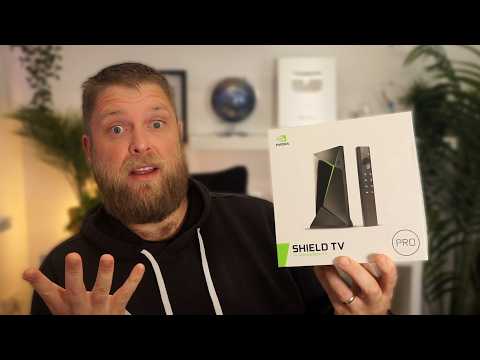
 Nvidia Shield TV Pro (2025)|Watch Before You BuyThe Product Lab